
Nissan Connect Bosch LCN EU Radio Code Online Generator
Instant factory master PIN calculation for Bosch Connect touchscreen satellite navigation head units.
Connect Bosch LCN Code
Instant automated factory decoding
How to Locate Your Nissan Connect Bosch LCN EU Serial & Enter Code
Follow our 3-step illustrated instructions to retrieve your serial number and enter your genuine unlock PIN.
Enter 3 Incorrect PINs On Touchscreen
Turn on vehicle ignition and power on your Nissan Connect unit. Enter any three incorrect 4-digit codes in sequence. No tools or radio removal needed.
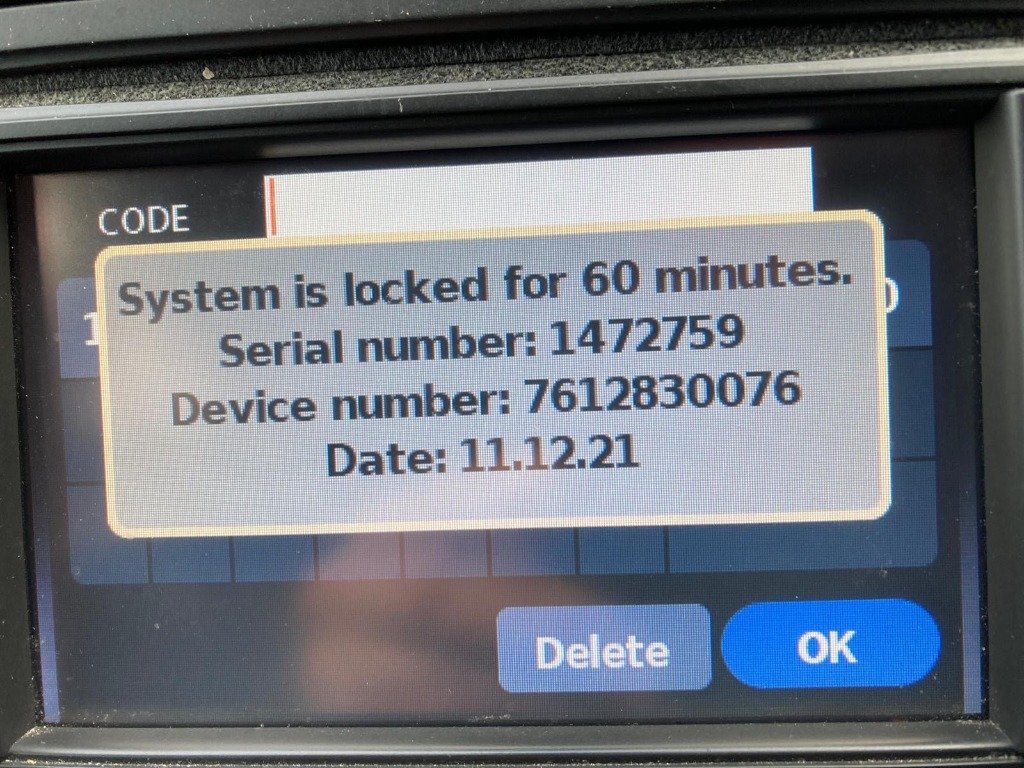
Record Serial, Device Number & Date
The system will temporarily lock and display your 7-digit Serial (e.g. 2783546 or 1472759), 10-digit Device Number (e.g. 7513750018), and Date (e.g. 13.07.04).
Enter 4-Digit Factory Master Code
Our automated server decodes the Bosch cryptographic matrix in 60 seconds. Tap your 4-digit PIN on the touchscreen and press OK to restore audio & nav.
Nissan Connect Bosch LCN EU Stereo Specifications
Our decoding system communicates with the official Nissan OEM authorization database. Review the technical parameters below to ensure complete compatibility with your head unit.
| Manufacturer | Bosch Multimedia GmbH (OEM Nissan) |
|---|---|
| Display | 5.0-inch / 7.0-inch Color TFT Touchscreen |
| Serial Format | 7-Digit Screen Serial + 10-Digit Device (7612...) + Date |
| Code Format | 4-Digit Numeric Security PIN (0000–9999) |
| Delivery Speed | Instant Automated Server Calculation (<60s) |

Nissan Connect Bosch LCN EU Production Generations & Audio Systems
Identify your vehicle's exact generation, fitted factory audio unit, and whether dashboard removal is required to retrieve your serial number.
Nissan Connect LCN 1 (MK1)
Nissan Connect LCN 2 / 3 (MK2)
Nissan Connect Bosch LCN EU Real Head Unit & Casing Label References
Verified customer reference database of authentic Nissan Nissan Connect Bosch LCN EU head units, on-screen diagnostic serial screens, and casing barcode stickers. Click any image or button to inspect in full HD.
Nissan Connect Touchscreen Lock Screen (Serial: 2783546)
2783546
High-resolution photo of Nissan Connect Bosch LCN touchscreen showing 60-minute lock diagnostic screen with 7-digit serial 2783546, 10-digit device 7513750018, and date 13.07.04.
Bosch Connect Lock Screen (Serial: 1472759)
1472759
Reference photo of Bosch Connect LCN lock screen displaying 7-digit serial 1472759, device 7612830076, and date 11.12.21.

Bosch Connect Lock Screen (Serial: 5855948)
5855948
Diagnostic lock screen showing serial 5855948, device number 7612830050, and preset buttons 1–6.
Nissan Connect 360° Camera (Serial: 9588582)
9588582
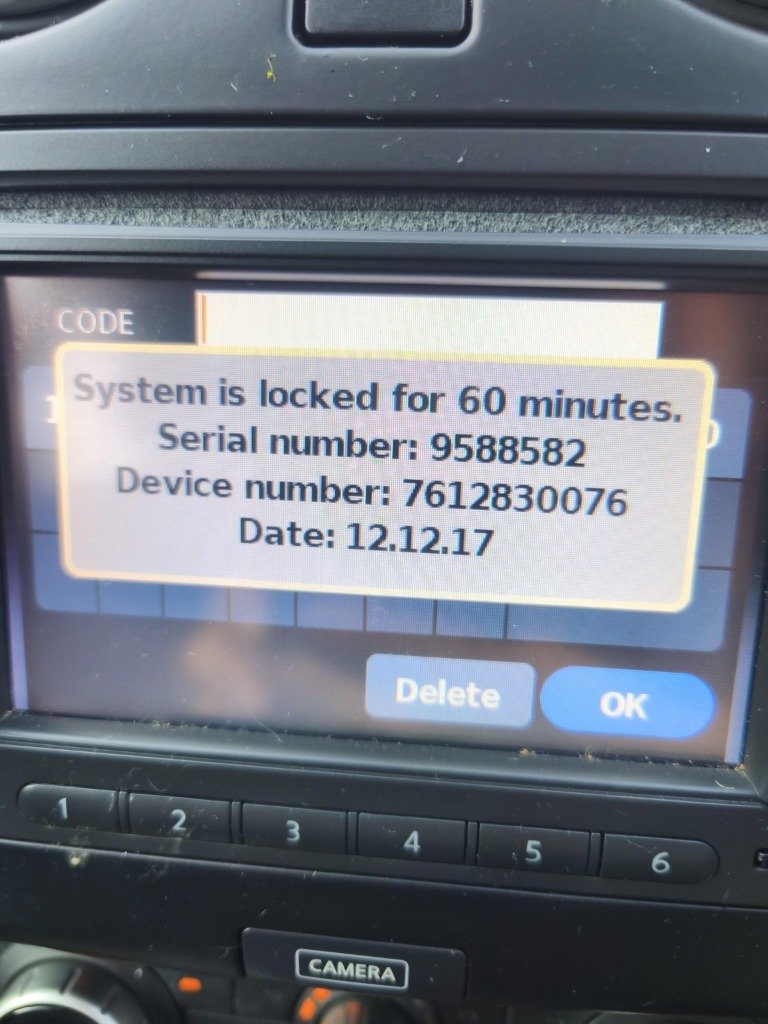
Nissan Connect LCN system with 360° Around View Monitor button showing 60-minute lock timer and device 7612830076.
Nissan Connect 2 Touchscreen System (5865283)
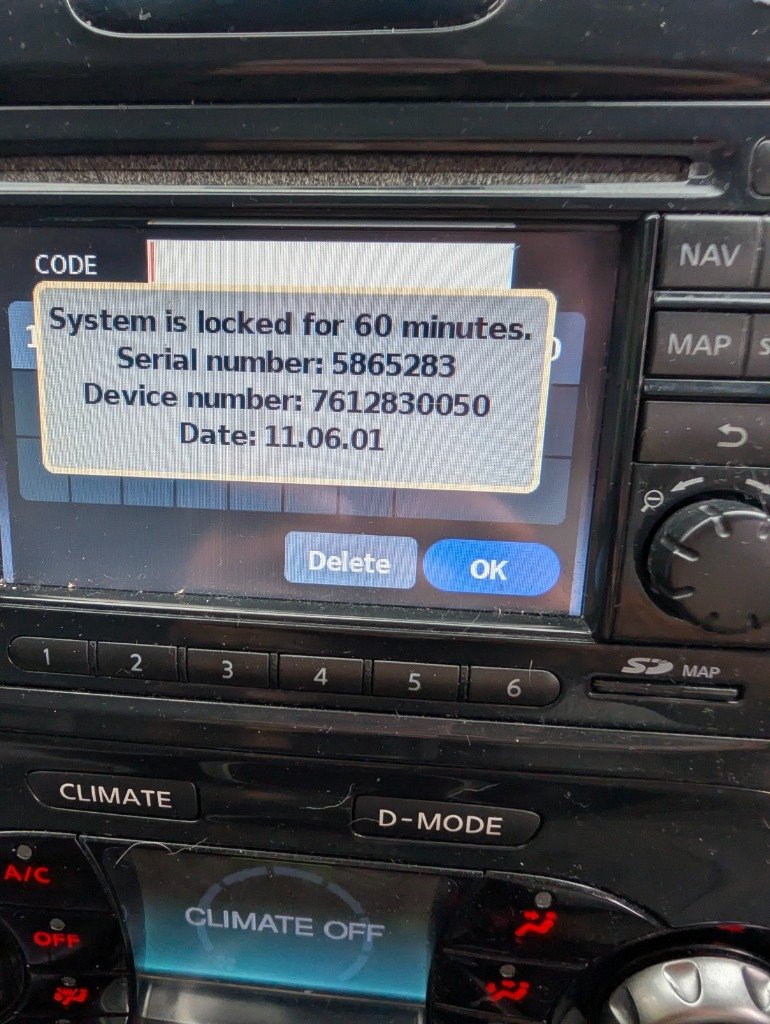
5865283
High-resolution photo of Nissan Connect 2 head unit with integrated D-MODE center console.
Complete Nissan Connect Bosch LCN EU Radio Code & Security Guide
Fast online decoding for Nissan Connect Bosch LCN touchscreen units. Retrieve your 7-digit serial, device number, and date on-screen without removing the radio.
Bosch LCN Touchscreen Architecture & Anti-Theft Protocol
The Nissan Connect Bosch LCN (Liquid Crystal Navigation) unit is an integrated multimedia platform combining satellite navigation, Bluetooth telephone pairing, CD/MP3 audio playback, and reversing camera display into a single double-DIN housing.
When continuous 12V battery power is interrupted—such as during a battery replacement or vehicle jump-start—the internal non-volatile EEPROM locks all functionality. Entering the original 4-digit factory master PIN re-authenticates the system and permanently reactivates navigation and audio.
How the 3-Attempt Lock Screen Diagnostic Routine Works
Bosch programmed a dedicated diagnostic subroutine into the LCN firmware. By deliberately inputting 3 incorrect 4-digit PINs, the system switches from the standard code entry keypad to a read-only technical diagnostics display.
The screen shows three distinct parameters: Serial Number (7 digits, e.g. 2783546 or 9596739), Device Number (10 digits starting with 7513 or 7612, e.g. 7513750018), and Date (in DD.MM.YY format, e.g. 13.07.04). Entering these three values into our decoder calculates your exact factory master PIN.
Step-by-Step PIN Entry on the Virtual Touch Keypad
Once your authentic 4-digit code is calculated, entering it into your Nissan Connect takes less than 20 seconds. Touch each of your four numbers sequentially on the on-screen numeric keypad.
After the fourth digit is entered, press the red or green OK button on the screen. The unit immediately clears the lock, syncs GPS satellites, restores Bluetooth phonebook contacts, and activates cabin audio.
Clearing "SYSTEM IS LOCKED - WAIT 60 MINUTES"
If more than 3 incorrect attempts were entered previously, the Bosch firmware triggers an anti-tamper penalty timer displaying "SYSTEM IS LOCKED - WAIT 60 MINUTES".
To clear this countdown, switch the ignition to Accessory (ACC) and leave the radio turned ON for 60 continuous minutes. Do not disconnect the battery, as that will reset the timer back to 60 minutes.
Why Order Online Instead of Visiting a Nissan Main Dealer?
Traditional Nissan dealerships require booking an appointment several days in advance, driving to the dealership, presenting vehicle registration and V5 logbook ownership documents, and paying £35 to £65 ($50–$80) in diagnostic service fees. Our automated online service connects directly with factory databases to deliver the exact same original manufacturer PIN in under 60 seconds from the comfort of your home for just £9.99.
Nissan Connect Bosch LCN EU On-Screen Error Diagnostics & Solutions
If your audio head unit displays a lock error, warning message, or countdown timer, refer to the diagnostic guide below.
| Error Message | Diagnostic Meaning | Recommended Action |
|---|---|---|
| ENTER RADIO CODE | Standard security prompt following 12V battery power interruption. | Enter your 4-digit factory master code using the on-screen numeric touch keypad. |
| INCORRECT PIN | An invalid 4-digit code was submitted to the Bosch firmware. | Verify your 7-digit serial, device number, and date before your next attempt. |
| WAIT 60 MINUTES | Firmware anti-brute-force lockout active after repeated failed attempts. | Keep ignition in ACC and radio turned ON continuously for 60 minutes. |
| SD CARD LOCKED | Navigation map SD card security handshake error. | Unlock head unit with master PIN first; SD map card will authenticate automatically. |
Nissan Connect Bosch LCN EU Radio Code FAQs
Answers to common questions about retrieving serial numbers and unlocking your Nissan Connect Bosch LCN EU.
Select Another Nissan Model or Radio
We decode security codes for every Nissan vehicle, commercial van, and factory audio manufacturer.